How to use Chad, your AI X coach.
Chad lives inside Slap Post. He reads your posts, tells you what to write and when, sharpens your drafts, builds your threads, and grades your week — so you stop guessing and start growing. Here's every part, with real screens from the app. Use the menu to jump around.
Getting started
Open Slap Post in your browser (or the iOS app), sign in, and connect the X account you post from. That's the whole setup — under two minutes.
- 1Open the app at slappost.app and sign in with email, Google, or Apple.
- 2Connect X with one tap (secure OAuth). Your tokens are stored encrypted on our servers — never in your browser, and we never see your password.
- 3Open the Coach tab to meet Chad. He'll start reading right away.
Meet Chad — your first scan
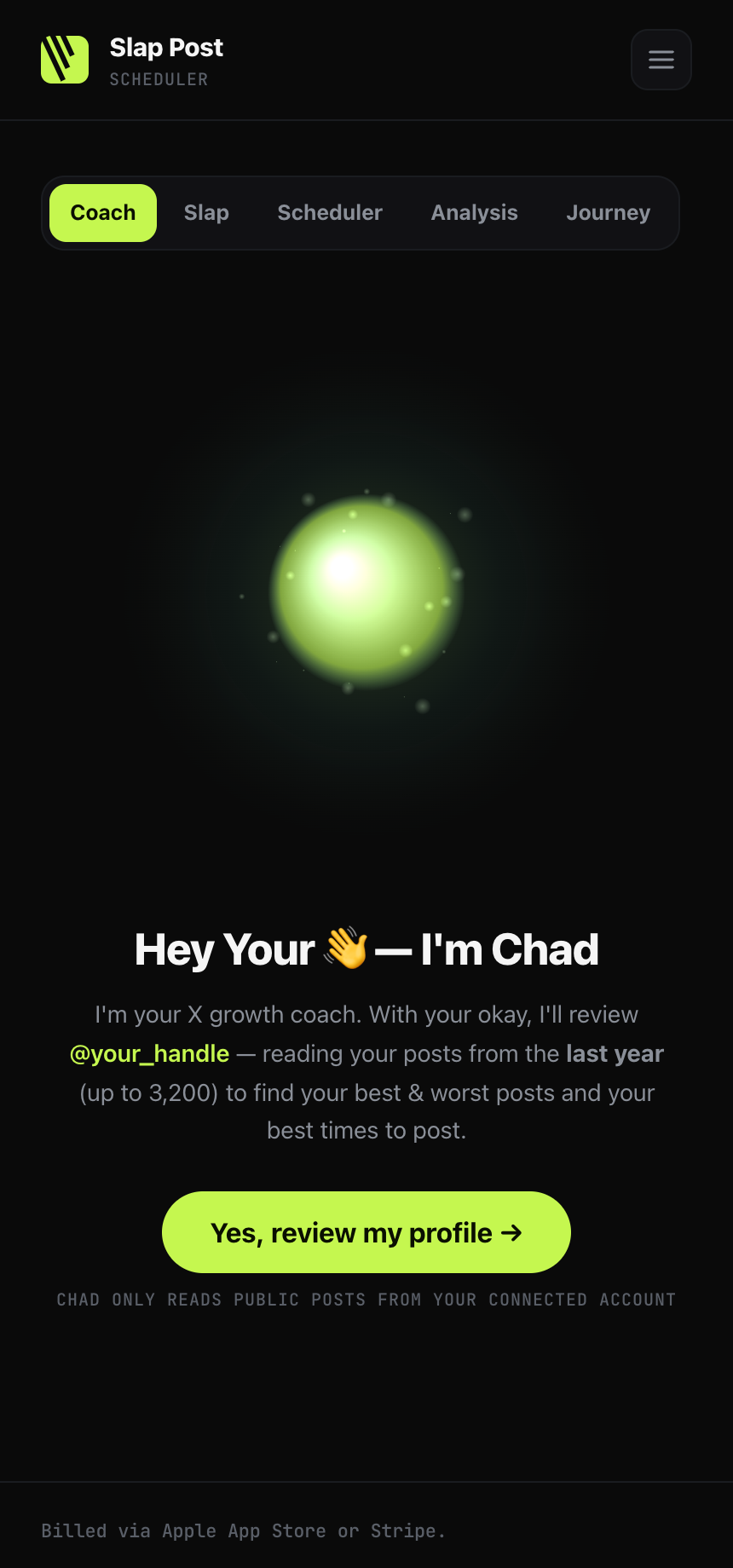
The first time you open the Coach, Chad reads up to a year of your posts (3,200). He learns your voice, spots your niche, compares your follower count to others in the same space, and sets a recommended posts-per-day just for you.
It takes a couple of minutes — then you've got a baseline: who you are on X, what's working, and how often to post to grow.
Reads only. Chad reads through a cheaper read-only API and never posts for you. Every post goes out only when you schedule it.
Compose & Tap It
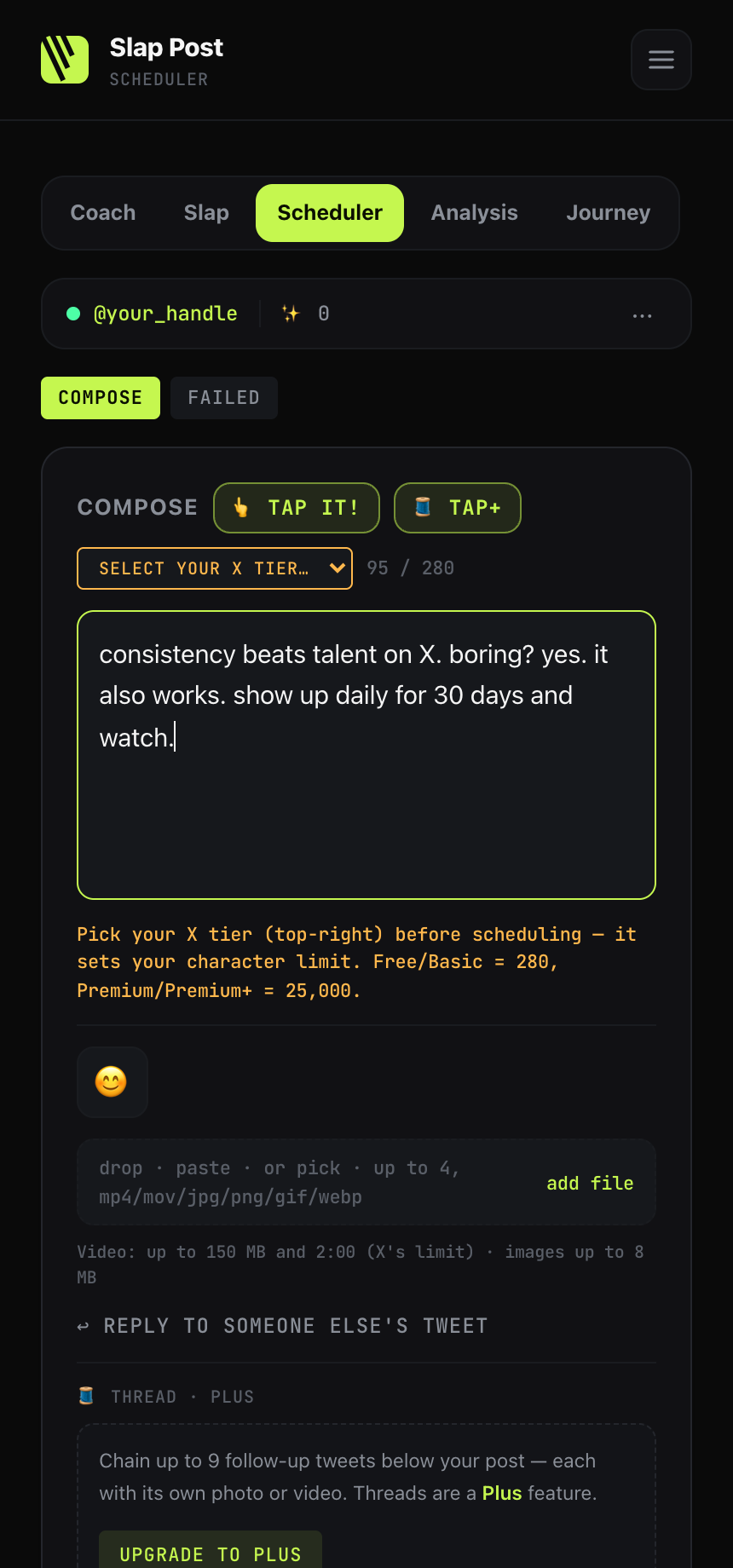
The scheduler sits under everything. Write a post, pick your X tier (it sets the character limit), add photos or video, and queue it — our servers fire it on the official X API at the time you set, phone off, app closed.
Got a rough draft? Hit 👆 Tap It and Chad rewrites it sharper for reach while keeping your voice. One tap to undo if you don't love it.
🎙 Don’t feel like typing? In the iOS app, tap the mic in the composer and just talk — dictation types while you speak, straight into the draft. Ramble it out, then hit 👆 Tap It and Chad tightens it into a post.
Change your mind later? Edit any queued post — from the queue on the web, or swipe right on it in the iOS app. Your update saves to the same post and keeps its slot.
No links in posts. Links make posts ~13× more expensive to send, so the composer blocks them. Name your project in plain words instead.
Big Brain — build a post with Chad
Not sure how to write it? Tap 🧠 Big Brain, pick a post style (lesson, steps, hot take, story…) and tell Chad your idea. He opens a fill-in-the-blank builder shaped to that style — Hook, Body, and CTA sections, each with his coaching tip and a pattern where every ___ is where your fact goes.
- 1Pick a style + your idea — Chad builds your guide.
- 2Fill in the blanks in your own words; swap in one of his alternate hook patterns anytime.
- 3✨ Edit it with Chad — he tightens your words, never invents a number. One tap to undo.
- 4Compose → your finished post drops into the composer to add pics and schedule.
Your words, his coaching. Big Brain never ghostwrites — you write every section; Chad structures and sharpens it.
Tap+ — instant threads
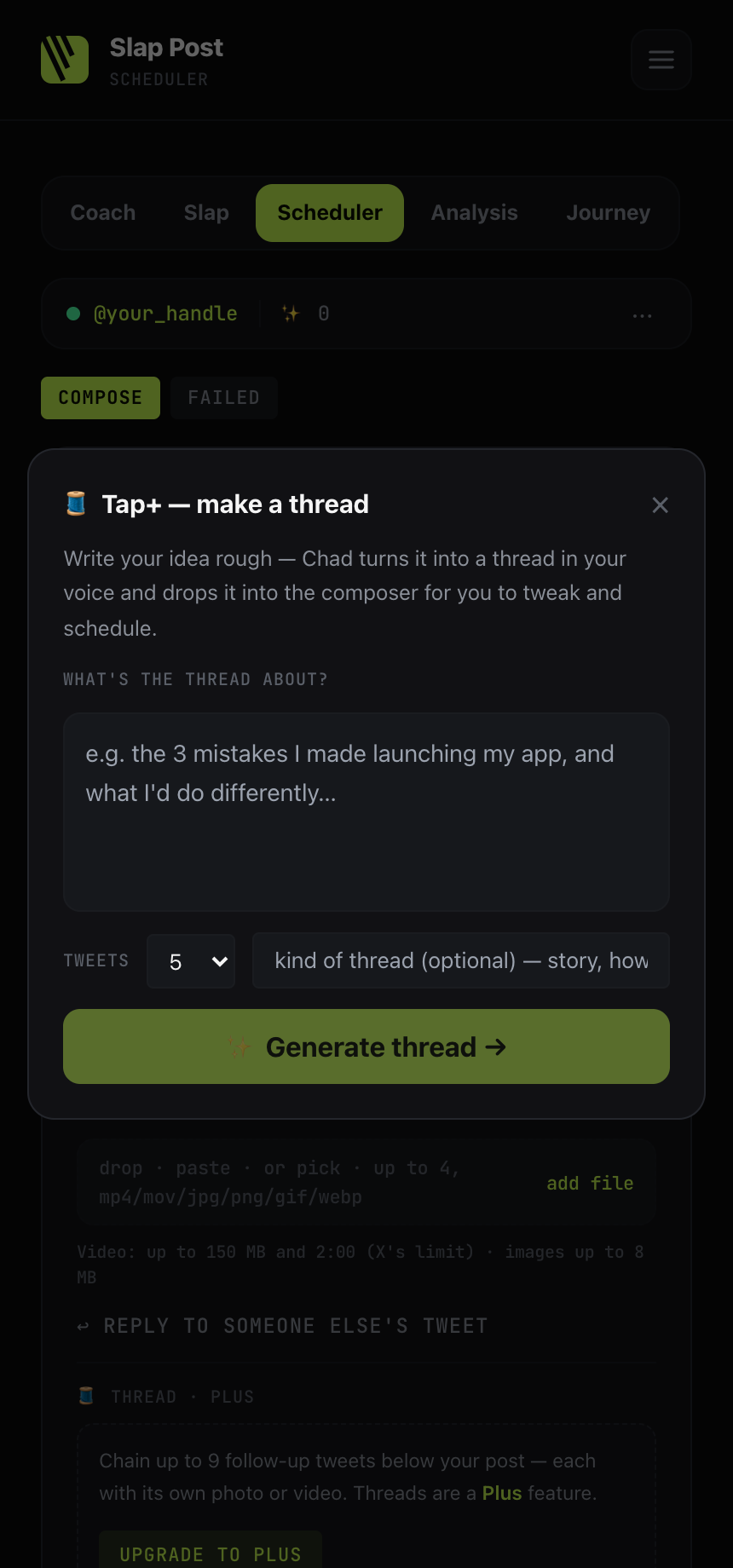
Tap 🧵 Tap+, tell Chad what the thread's about and how many tweets you want, and he builds the whole thread in your voice — hook first, clean throughout.
It drops tweet 1 into the composer and the rest into the thread editor, ready for you to tweak and schedule.
- 1Write your idea rough — Chad cleans it up.
- 2Pick how many tweets (3–10).
- 3Hit Generate thread — edit and queue.
Slap Magic — your best times
Picking a time is the most annoying part of scheduling, so Chad does it. Slap Magic drops your post into your next open best-time slot — the soonest of your top golden hours still open today. Once today holds your recommended posts per day, it books tomorrow's first slot instead (no spam-days, ever). There's also "Fill my week," which lays out a whole week of slots from your best times for you to fill. Your golden hours come straight from the scan in step 2.
Sunday Analysis
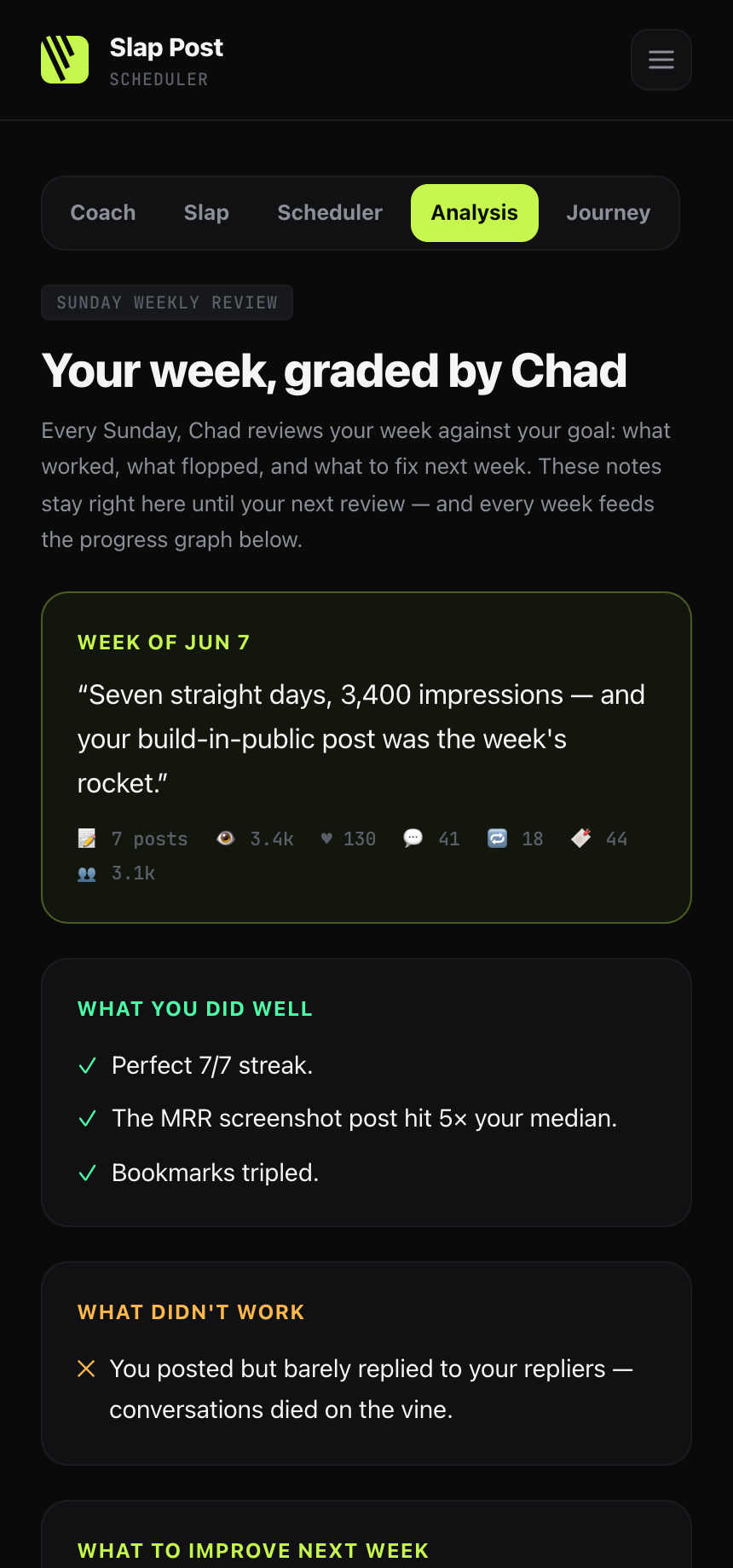
Once a week Chad grades your last 7 days against your goal: what worked, what flopped, and the one thing to fix next. You get a fresh plan and a progress graph so you always know where you stand.
Proud of the trend? Share your progress chart to X in one tap — it exports a clean branded image, "created with slappost.app".
Connect your repo
Building in public? Connect GitHub (or any MCP) so Chad knows what you're actually shipping. He'll prompt you to post about your real work — commits, launches, features — instead of inventing generic content. Add it during onboarding, or anytime from the Coach. A personal access token is stored encrypted; multiple repos are supported.
Manage your plan
Slap Post is $29/month (iOS or web) or $9/week (iOS only). Every plan starts with a 7-day free trial — $0 today, first charge on day 8 unless you cancel. Cancel or update your card anytime from Account → Manage subscription. To switch between weekly and monthly on iOS, cancel your current plan and start the other one. Web payments run through Creem, our payment processor and merchant of record — so "Creem" is the name on your receipt; on iPhone, billing goes through your Apple account.